AHRS · MOTOR CONTROL SPECIALIST

Sense motion.Control it with precision.

ROBOR iAHRS sensors measure the attitude and heading of robots and equipment.
ROBOR brings motion data and control together in one system.

9AXIS
SENSOR FUSION
1ms
DATA CYCLE
3CONTROL MODES
P · V · T
ROLL+12.48°
PITCH-03.17°
YAW+148.02°

3D MOTION PREVIEW Simulation

EXPLORE
ATTITUDE · HEADING · VELOCITY · TORQUE
SENSOR FUSIONREAL-TIME CONTROLVIBRATION ANALYSISMOTION INTELLIGENCEEMBEDDED ENGINEERING

Motion starts with sensing.
Precision comes from connected control.

SEE THE MOTION.
OWN THE CONTROL.

ROBOR combines AHRS data acquisition, sensor fusion and analysis with motor position, velocity and torque control.

Build reliable motion systems faster, with less integration work and designs that account for real vibration and load conditions.

How our technologies connect →

iAHRS / V2 · V3

Choose your sensors.
Connect with confidence.

Output specifications and interfaces — compare by application.

USB is included with every V2 / V3 model

Base model No suffix
USB + RS-232
Model suffix _1
USB + CAN
Model suffix _2
USB + RS-485
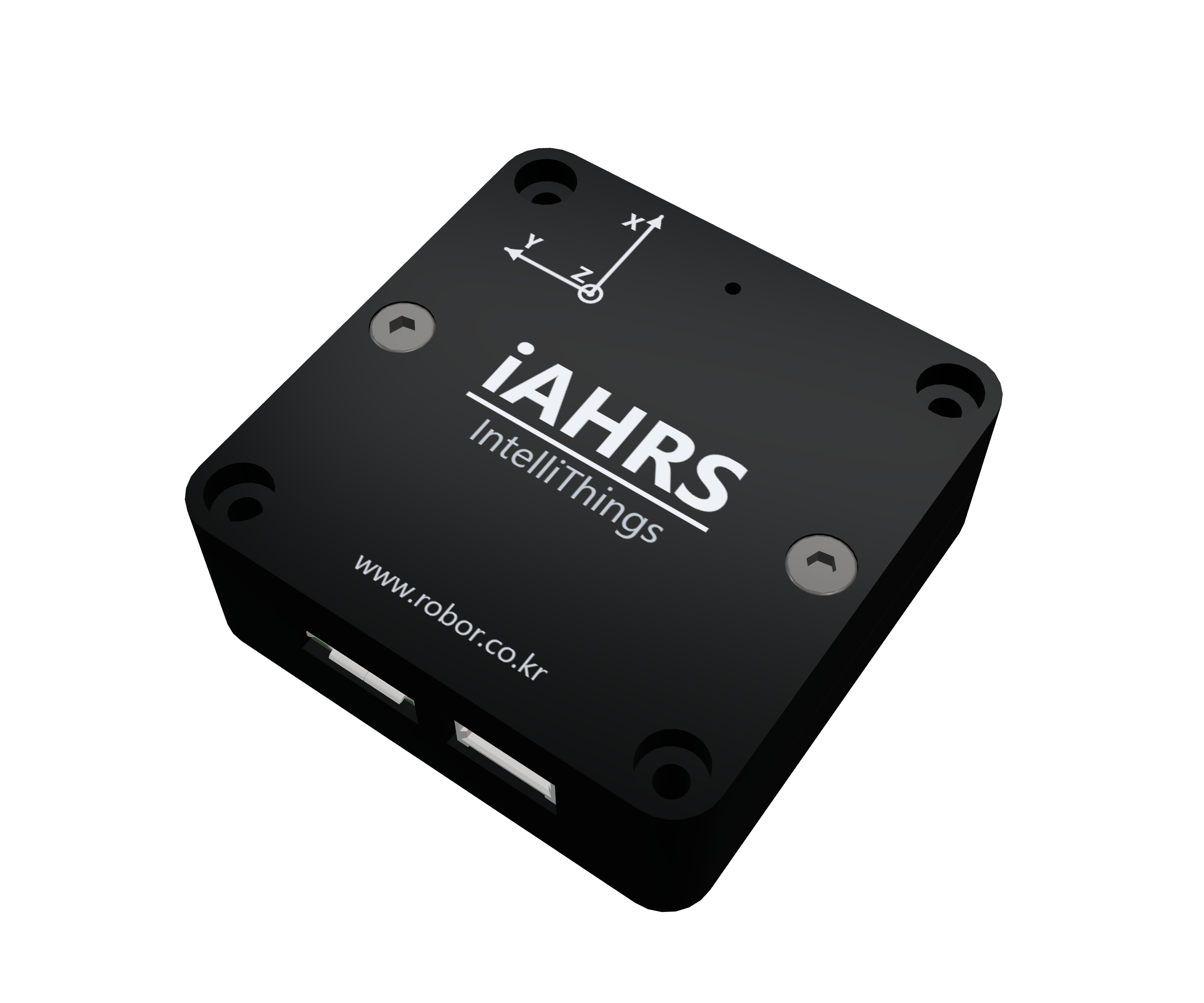
Representative image · V2_1 (CAN)Representative image · V2_1 (CAN)

VIBRATION & TEMPERATURE

iAHRS-V2NEW

RB-SDA-v2 sensor platform

Designed for vibration, temperature changes and compact systems.

Measurements
Acceleration · Angular velocity · Magnetic field
Serial output rate
Up to 100 Hz · depends on communication settings
  • iAHRS-V2USB + RS-232
  • iAHRS-V2_1USB + CAN
  • iAHRS-V2_2USB + RS-485
KRW 275,000Planned launch discount: 15%KRW 233,750Planned price · VAT includedNet: KRW 212,500 · VAT: KRW 21,250

Coming soon · KC registration in progress · Sales begin after certification
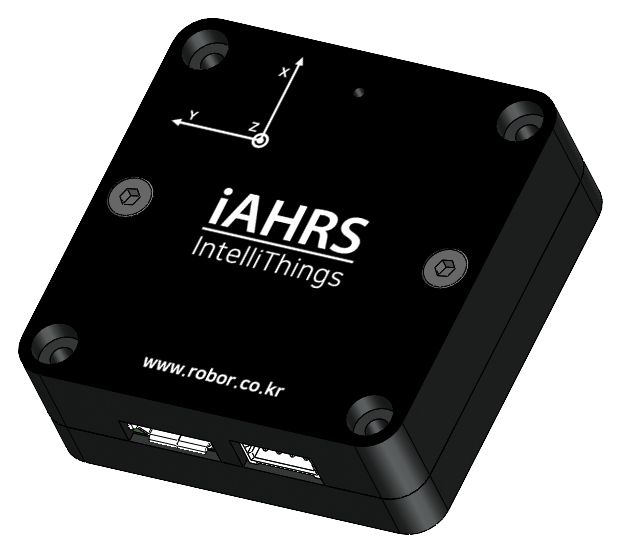
Representative image · V3 (RS-232)Representative image · V3 (RS-232)

HEADING & LOW NOISE

iAHRS-V3NEW

RB-SDA-v3 sensor platform

Focused on low inertial sensor noise and heading measurement.

Measurements
Acceleration · Angular velocity · Magnetic field
Serial output rate
Up to 100 Hz · depends on communication settings
  • iAHRS-V3USB + RS-232
  • iAHRS-V3_1USB + CAN
  • iAHRS-V3_2USB + RS-485
KRW 330,000Planned launch discount: 15%KRW 280,500Planned price · VAT includedNet: KRW 255,000 · VAT: KRW 25,500

Coming soon · KC registration in progress · Sales begin after certification
SENSOR PERFORMANCE / V2 · V3 · V1

Compare sensor performance on the same basis.

Compare sensor configurations and interfaces, then check test conditions for attitude and heading performance.

Sensor configuration and performance basis
ParameteriAHRS-V2 NEWiAHRS-V3 NEWRB-SDA-v1
Interface variantUSB + a choice of RS-232 / CAN / RS-485USB + a choice of RS-232 / CAN / RS-485USB + RS-232
Serial output rateUp to 100 Hz¹Approx. 50 Hz / up to 100 Hz²See the model manual for output settings and fields
Attitude / heading errorComparable test results not establishedComparable test results not establishedComparable test results not established

Stationary variation, filter-estimated 1σ and display increments are different metrics. Chip specifications alone do not establish complete-system angle error.

Filter estimates are not guaranteed complete-system accuracy specifications.

V2 / V3 include USB: no suffix selects RS-232, _1 CAN, and _2 RS-485. RB-OB-v1 is a separate board-level LV TTL UART product.

PRECISION
IN MOTION.

From measurement to control: sensor and motor control products for your motion system.

01

ATTITUDE INTELLIGENCE

ROBOR / MOTION LAB

RB-SDA-v1 / RB-OB-v1 / RB-GINS-v1

iAHRS

From enclosed and board-level AHRS sensors to RTK positioning modules. Choose the right product for your equipment's orientation and positioning needs.

ROLL · PITCH · YAWQUATERNIONFFT ANALYSISKALMAN FILTER
Explore AHRS products ↗ Compare iAHRS V2 / V3 ↗
5 TYPESSENSOR LINEUP
AHRSATTITUDE SENSING
RTKPOSITIONING

iAHRS VIDEO GUIDE · ENGLISH

Watch. Choose. Connect.

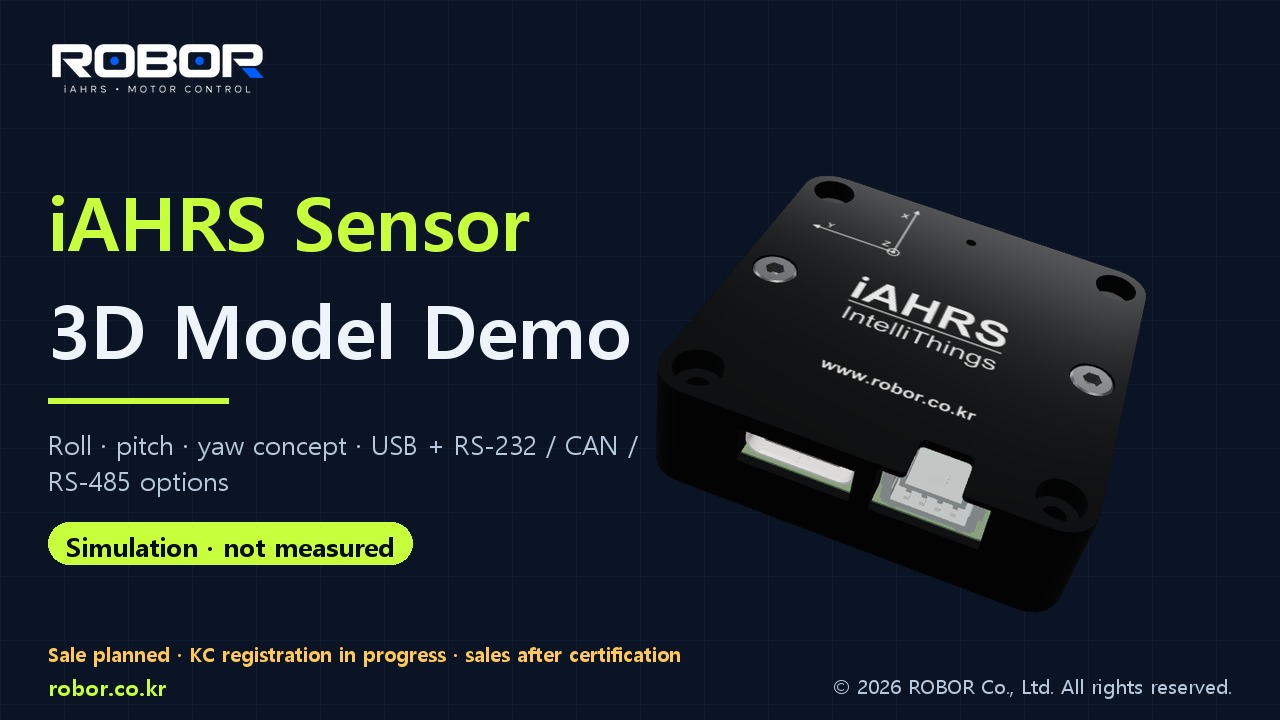
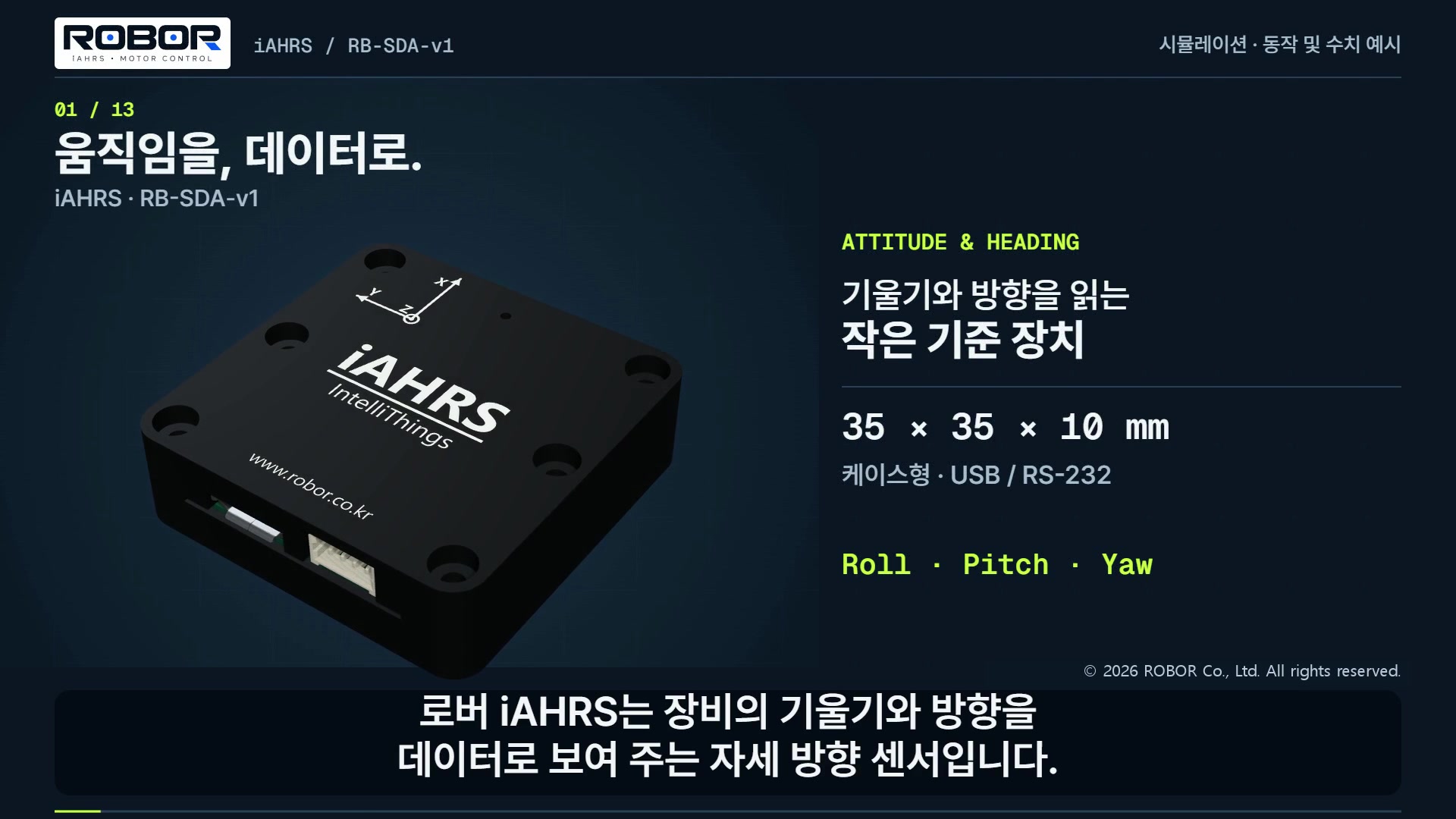
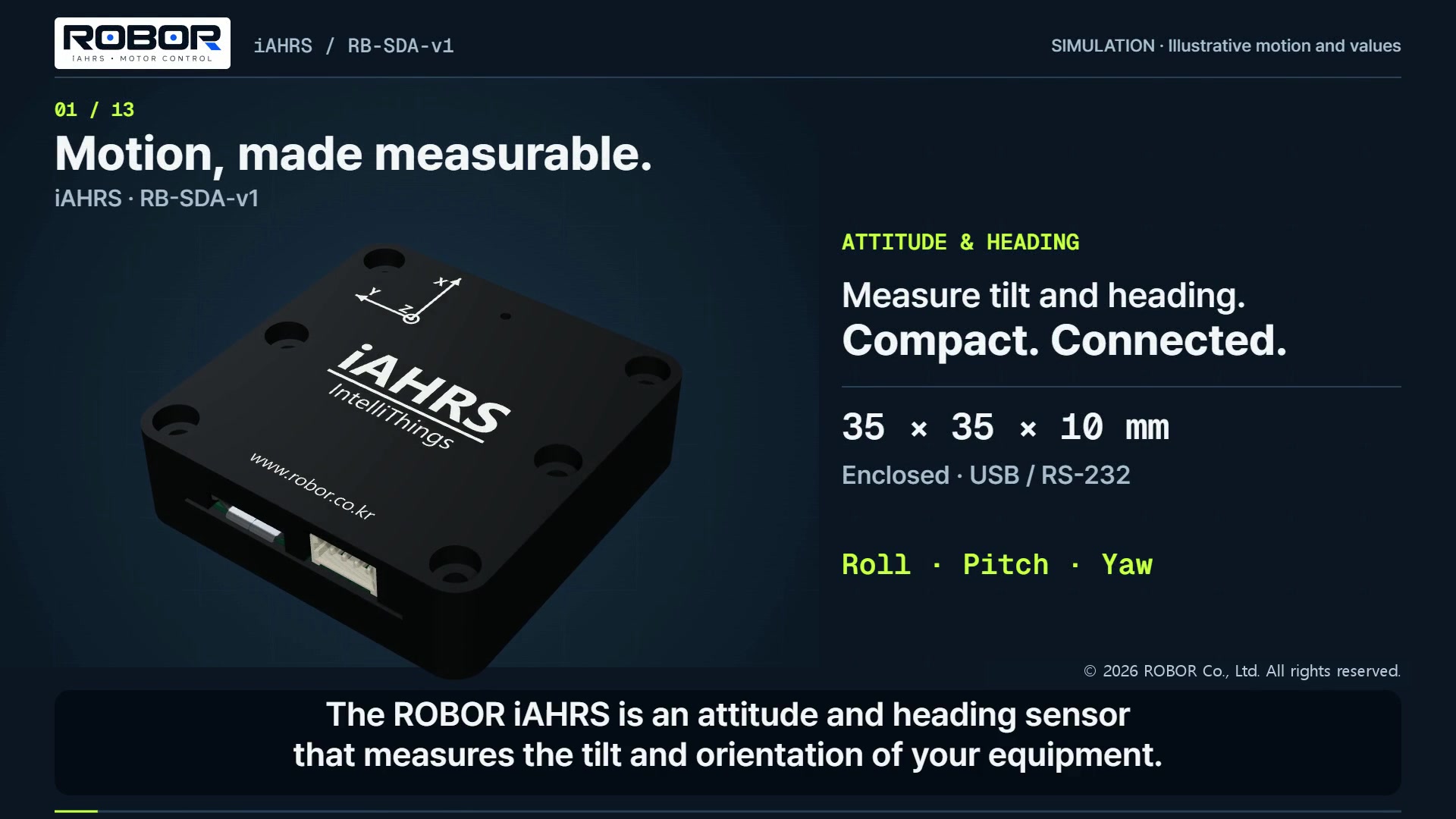
Explore roll, pitch, yaw and interface options using 3D models. Simulated values, not measured data.2:42 · 한국어 음성·자막 · YouTube

02

MOTION CONTROL

ROBOR / iSERVO

THREE WAYS TO DRIVE

iServo

Motor drives for your control architecture.
Compare Pulse2, CANopen and EtherCAT specifications.

iServo Pulse2 iSV Pulse-260319 CASE product rendering

PULSE CONTROL

Pulse2

iSV Pulse-260319 CASE

Motor drive with pulse-train control and CAN / RS-485 interfaces

8 AContinuous output current

Peak 16 A · Less than 3 seconds

Motor supply
DC 24–48 V
Control supply
Shared with motor supply
Control interface
Pulse train · CAN · RS-485
Supported motors
DC · BLDC · PMSM · 2/3-phase stepper
I/O
4 DI · 2 DO · 1 AI (±10 V)
Dimensions
133 × 77 × 26 mm
Detailed specifications
Communication rate
CAN 1 Mbit/s · RS-485 921,600 bps
PC configuration
USB Type-C · VCP 921,600 bps
Encoder
ABZ · Hall · SSI · BiSS-C · EnDat · RS-485
Encoder resolution
32–65,000 cpr · 1 MHz quadrature
Control bandwidth
Position / velocity 1 kHz · Current 2 kHz
PWM frequency
20 kHz
Operating temperature
0–55 °C
Brake
3 A · J3 pin 1: + / pin 2: switched output

See the manual for encoder options and operating conditions.

Pulse2 specifications / quote
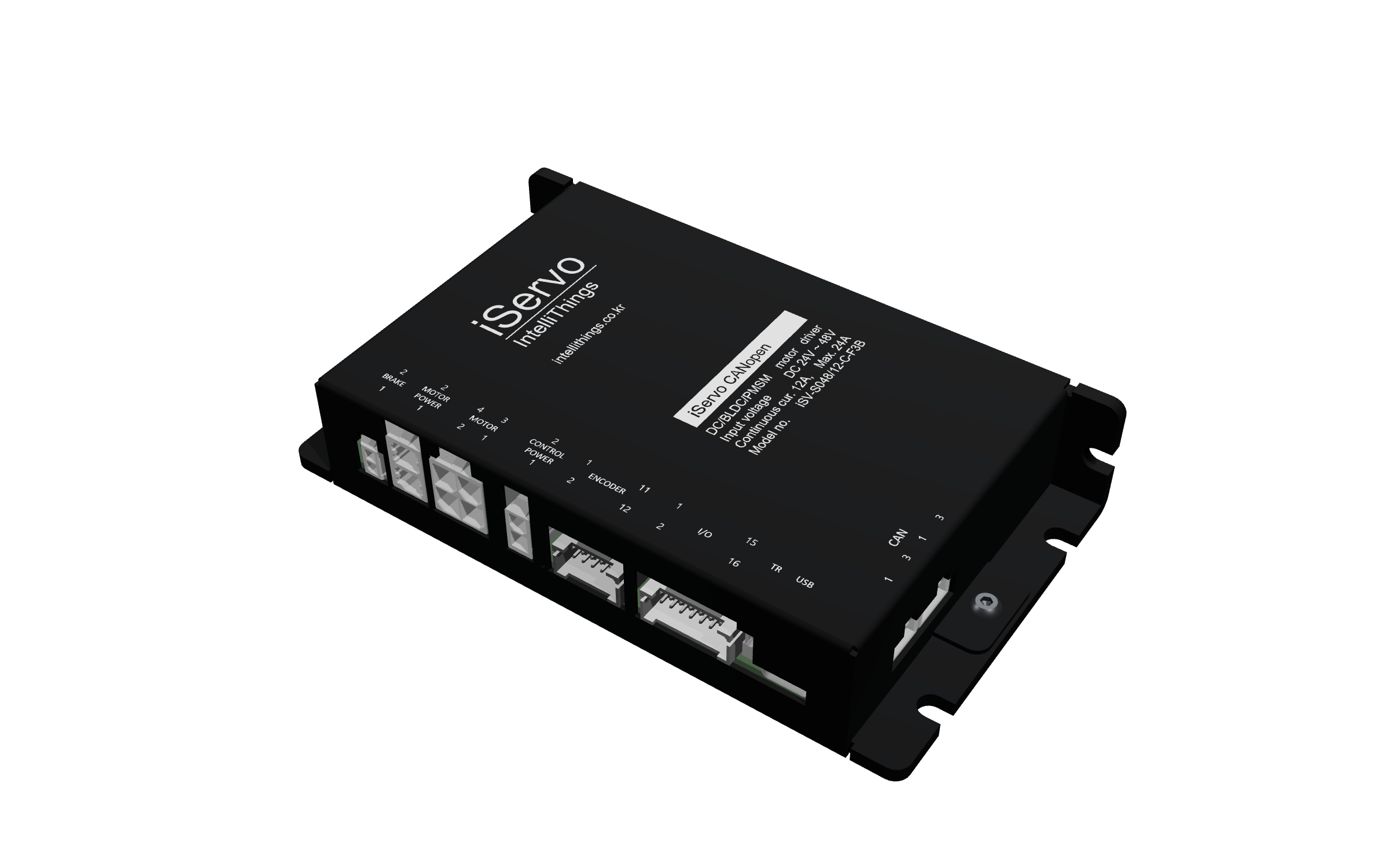
iServo CANopen ISV-S04815-C-FXL-NA product rendering

CAN NETWORK

CANopen

ISV-S04815-C-FXL-NA

Network motor drive for CANopen motion controllers

12 AContinuous output current

Peak 24 A · Less than 30 seconds

Motor supply
DC 24–48 V
Control supply
Separate 24 V DC supply
Control interface
CANopen · Up to 1 Mbit/s
Supported motors
DC · BLDC · PMSM · 3-phase stepper
I/O
4 DI · 2 DO · 1 AI (±10 V)
Dimensions
133 × 77 × 26 mm
Detailed specifications
Network ports
Two 3-pin CAN ports · 120 Ω termination switch
PC configuration
USB Type-C · VCP up to 921,600 bps
Encoder
ABZ · Hall · SSI · BiSS-C · EnDat · RS-485
Encoder resolution
32–65,000 cpr · 1 MHz quadrature
Control bandwidth
Position / velocity 1 kHz · Current 2 kHz
PWM frequency
40 kHz
Operating temperature
0–55 °C
Brake
3 A · J3 pin 1: + / pin 2: switched output

See the manual for encoder options and operating conditions.

CANopen specifications / quote
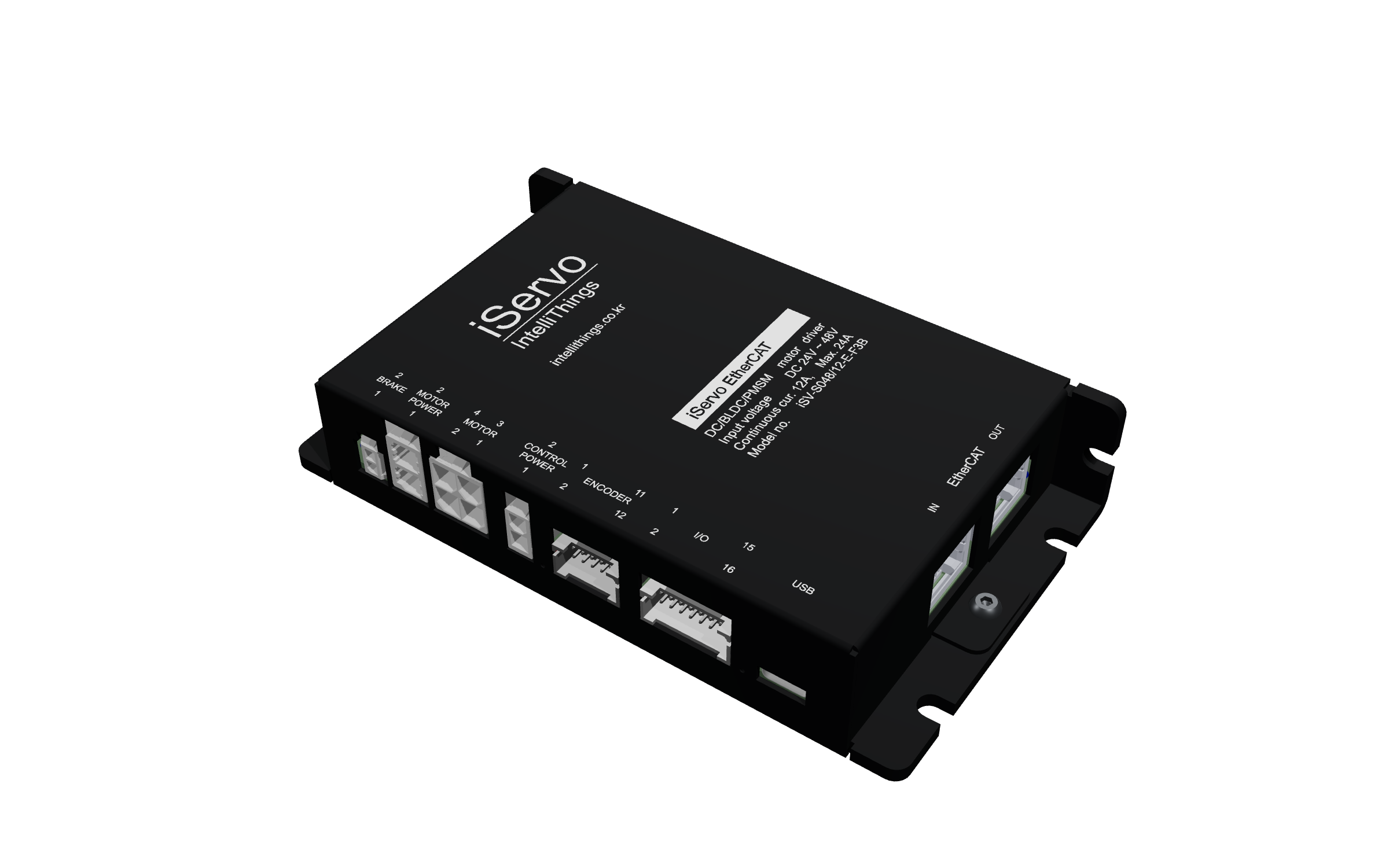
iServo EtherCAT ISV-S04815-E-FXL-NA-V1 product rendering

ETHERCAT NETWORK

EtherCAT

ISV-S04815-E-FXL-NA-V1

Motor drive with EtherCAT IN / OUT ports for an EtherCAT master

12 AContinuous output current

Peak 24 A · Less than 30 seconds

Motor supply
DC 24–48 V
Control supply
Separate 24 V DC supply
Control interface
EtherCAT · 100 Mbit/s
Supported motors
DC · BLDC · PMSM · 3-phase stepper
I/O
4 DI · 2 DO · 1 AI (±10 V)
Dimensions
133 × 77 × 26 mm
Detailed specifications
Network ports
RJ45 × 2 · IN / OUT
PC configuration
USB Type-C · VCP up to 921,600 bps
Encoder
ABZ · Hall · SSI · BiSS-C · EnDat · RS-485
Encoder resolution
32–65,000 cpr · 1 MHz quadrature
Control bandwidth
Position / velocity 1 kHz · Current 2 kHz
PWM frequency
40 kHz
Operating temperature
0–55 °C
Brake
3 A · J3 pin 1: + / pin 2: switched output

See the manual for encoder options and operating conditions.

EtherCAT specifications / quote

DI: digital input · DO: digital output · AI: analog input. Peak current applies only within the specified duration.

iAHRS V2 · V3

Choose V2 or V3 for your measurement requirements, then select an interface to use alongside USB.

01

AHRS · iAHRS-V2

Coming soon
Representative image · V2_1 (CAN)

iAHRS-V2NEW

V2 provides attitude and heading sensing, with vibration, temperature changes and compact designs in mind. USB is standard; the additional interface depends on the model.

USB standardBase model: RS-232_1 CAN_2 RS-485

Coming soon · KC registration in progress · Sales begin after certification

Planned price · VAT includedKRW 275,000Net: KRW 212,500KRW 233,750
Product inquiry ↗
02

AHRS · iAHRS-V3

Coming soon
Representative image · V3 (RS-232)

iAHRS-V3NEW

V3 provides low-noise attitude and heading sensing. USB is standard; the additional interface depends on the model.

USB standardBase model: RS-232_1 CAN_2 RS-485

Coming soon · KC registration in progress · Sales begin after certification

Planned price · VAT includedKRW 330,000Net: KRW 255,000KRW 280,500
Product inquiry ↗

Sensors / positioning

From orientation sensing to precise positioning. Choose the interface and configuration that fit your equipment.

03

AHRS · HOUSING

Available

RB-SDA-v1

An enclosed 9-axis AHRS sensor with USB and RS-232C interfaces for research, robotics and mobility equipment.

9 DOFUSBRS232C
5% off · VAT includedKRW 198,000KRW 188,100
Buy on Naver (Korean) ↗
04

AHRS · ON-BOARD

Available

RB-OB-v1

A board-level AHRS sensor with an LV TTL UART interface. Supplied without an enclosure for integration into compact embedded systems.

9 DOFLV TTL UART2.54 mm PITCH
10% off · VAT includedKRW 130,000KRW 117,000
Buy on Naver (Korean) ↗
05

POSITIONING · RTK

Request a quote

RB-GINS-v1

A positioning module integrating RTK, Wi-Fi and a battery. Contact us for a configuration suited to your project.

RTKWi-Fi + BATTERY
Quoted by configurationProject quotation
Business quote ↗

Motor drives

Pulse2, CANopen or EtherCAT. Choose the iServo drive that matches your control system.

06

MOTOR · PULSE CONTROL

Available
IntelliThings iServo Pulse2 motor drive 3D rendering

iServo Pulse2

Motor drive with pulse-train, CAN and RS-485 control. A shared motor / control supply powers DC, BLDC, PMSM and 2/3-phase stepper motors.

DC 24–48 VContinuous 8 APeak 16 A · Less than 3 seconds
30% off · VAT includedKRW 352,000KRW 246,400
Buy on Naver (Korean) ↗
07

MOTOR · CANopen

Available
IntelliThings iServo CANopen motor drive 3D rendering

iServo CANopen

A CANopen motor drive with communication up to 1 Mbit/s and a separate 24 V DC control supply.

DC 24–48 VContinuous 12 APeak 24 A · Less than 30 seconds
30% off · VAT includedKRW 462,000KRW 323,400
Buy on Naver (Korean) ↗
08

MOTOR · EtherCAT

Available
IntelliThings iServo EtherCAT motor drive 3D rendering

iServo EtherCAT

A motor drive with EtherCAT IN / OUT ports, 100 Mbit/s communication and a separate 24 V DC control supply.

DC 24–48 VContinuous 12 APeak 24 A · Less than 30 seconds
30% off · VAT includedKRW 495,000KRW 346,500
Buy on Naver (Korean) ↗

An interface
that makes data
clear.

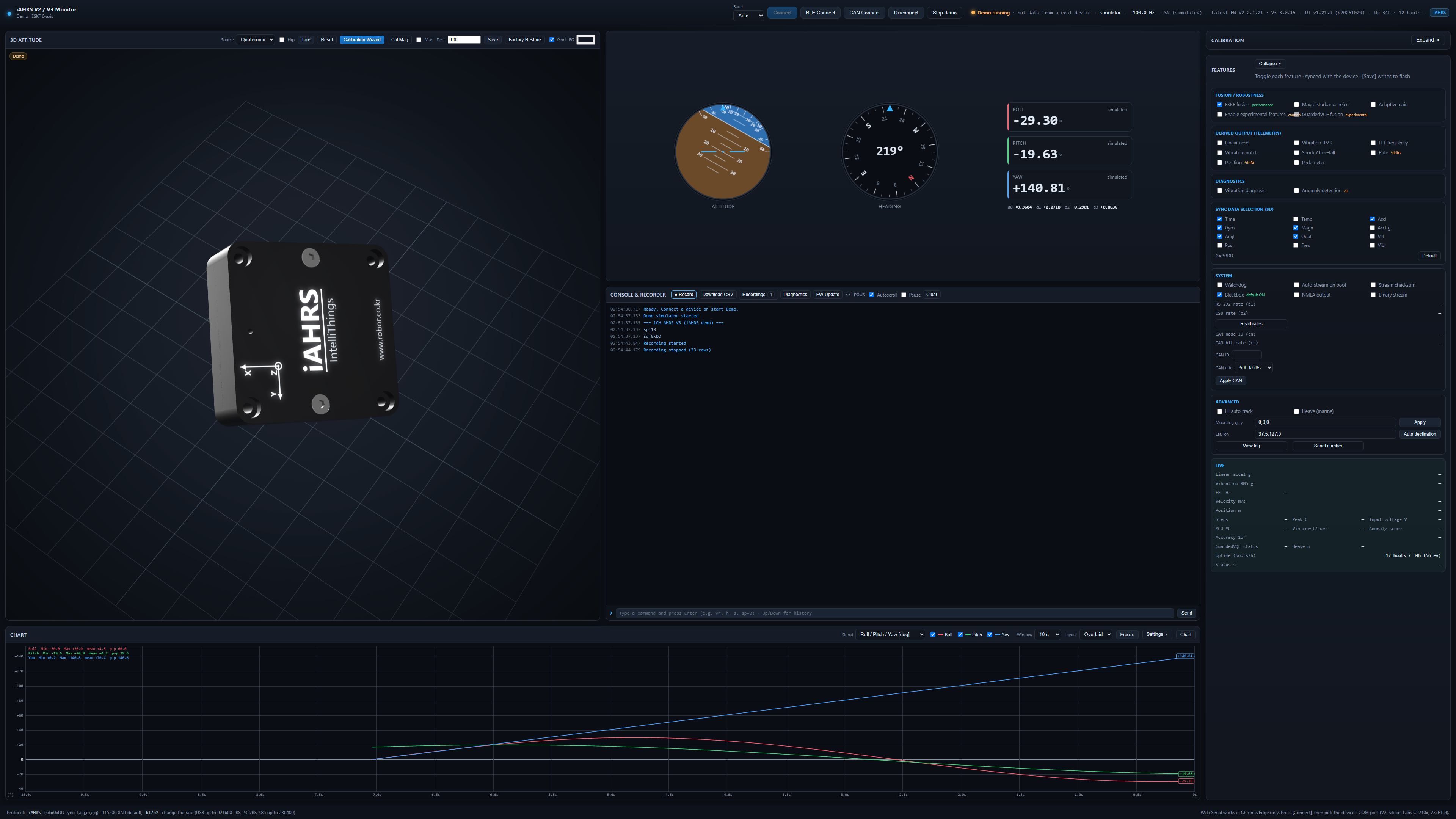
iAHRS Monitor v1.21.0Customer edition · V2 / V3

View and analyze Euler angles, quaternions, acceleration, angular velocity and FFT vibration frequencies after setup.

  • 01 Live attitude, heading and sensor data
  • 02 Time- and frequency-domain analysis
  • 03 CSV recording and sensor calibration
  • 04 USB / BLE / CAN connection setup

iAHRS SOFTWARE PREVIEW

Simulated preview
iAHRS Monitor v1.21.0 customer interface with 3D attitude, instruments, graphs and settings. Simulated preview.

BUILT FOR
THE REAL WORLD.

Motion solutions designed for laboratory precision and real-world conditions.

ROBOTICS application reference image
A01

ROBOTICS

Orientation sensing and precise actuation for collaborative robots, AMRs and humanoids

MOBILITY application reference image
A02

MOBILITY

Heading, vibration analysis and motor control for drones, UGVs and marine platforms

INDUSTRIAL application reference image
A03

INDUSTRIAL

Equipment monitoring, rotating-machine vibration FFT analysis and automated motion

R&D LAB application reference image
A04

R&D LAB

Research data acquisition, algorithm validation and customized control

Illustrative application images; these do not depict actual deliveries or customer sites.

From sensing
to control.

One connected workflow, engineered by ROBOR

01
IMU · ENCODER

SENSE

Sense equipment motion precisely

02
KALMAN FILTER

FUSE

Fuse sensor data and reduce noise effects

03
CONTROL LOGIC

DECIDE

Calculate control outputs from the difference between target and current states

04
MOTOR CONTROL

DRIVE

Control motors to the target position, velocity and torque

CUSTOMER SUPPORT 01 / 04

Support at every step.

Find help with product selection, documentation, installation and repair.

CUSTOMER SUPPORT 02 / 04

Download and install the USB driver

For USB connections on iAHRS sensors and iServo motor drives.

For sensors and motor drives

iAHRS sensorsiServo motor drives

For a USB connection to your PC, use the Silicon Labs CP210x VCP driver. It lets your PC recognize the device as a COM port. Select that port in the product's configuration software.

Applies to products with a CP210x USB interface. iServo Pulse2, CANopen and EtherCAT use the same driver for USB connection to a PC.

The FTDI USB device in iAHRS-V3 does not use the CP210x driver. Check the chip manufacturer in Device Manager and follow the official FTDI driver instructions.

Download from the official Silicon Labs website. For macOS and other systems, select the appropriate package and instructions on that page.

Windows installation

Windows 10 / 11
  1. Download from the official website

    Use the download link above, then open Downloads and choose CP210x Universal Windows Driver.

  2. Extract the ZIP file

    Right-click the downloaded ZIP and choose Extract All. In the extracted folder, locate silabser.inf .

  3. Install the driver

    silabser.inf: right-click this file and choose Install. If the option is hidden in Windows 11, click Show more options first. If a permission prompt appears, verify that the publisher is Silicon Labs before continuing.

CUSTOMER SUPPORT 03 / 04

Connect the device and check the COM port

After installation, connect the product and check communication in its configuration software.

Check connection and communication

After installation
  1. Find the COM port number

    Connect a data-capable USB cable and supply power as specified in the manual. Right-click Start and open Device Manager → Ports (COM & LPT). Next to the CP210x device, note the COM port number.

    ExampleSilicon Labs CP210x USB to UART Bridge (COM3)COM3 is an example. Use the port number shown on your PC.
  2. Connect in the product software

    Select that COM port in the iAHRS or iServo software. Set the baud rate according to the product manual, then connect.

COM port missing?
  • Check cable and power: Try a data-capable USB cable and a different USB port. Check the product's power requirements.
  • Yellow warning icon or CP210x entry: In Device Manager, right-click the device and choose Update driver → Browse my computer for drivers, then select the extracted driver folder.
  • Port appears, but connection fails: Close other programs using the same COM port and reconnect. Recheck the port number and baud rate.

If the device is still not recognized, include the product name, Windows version and a Device Manager screenshot when you contact technical support ↗

CUSTOMER SUPPORT 04 / 04

Frequently asked questions and contacts

Find answers about purchasing, setup and repairs, and contact the right team.

FAQ

Frequently asked questions

How do RB-SDA-v1 and RB-OB-v1 differ?+

RB-SDA-v1 includes an enclosure and connection interfaces. RB-OB-v1 is an unenclosed board for integration inside equipment.

Can I download manuals and software?+

Yes. We provide product manuals, configuration software and communication documents. Contact technical support for the version you need.

Can I connect several sensors to one CAN bus?+

Yes, for iAHRS-V2_1 with firmware 2.1.21 or later. Assign a unique node ID to each unit. Connect by USB, select CAN ID 1–127 in the UI Features → System group, then choose Apply CAN → Save. Every device on the bus must use the same bit rate. Firmware 2.1.20 and earlier use fixed node 1 at 500 kbit/s.

Why does reception slow to about 10 Hz after changing CAN speed?+

Unplug and reconnect PCAN-USB, then connect again. Immediately after a bit-rate change, the adapter may remain in error recovery, slowing reception or missing heartbeats. Match the bridge node and bit rate to the sensor and select Bridge configuration. If the issue persists, check wiring, termination and bit rates, then contact support.

Do you support bulk orders and quotations?+

Yes. Tell us the products, quantities, equipment and requested delivery date for a quotation and delivery schedule.

What should I include in a repair request?+

Include the model, serial number, symptoms, power and communication setup, and steps to reproduce the issue.

SUPPORT GUIDEROBOR CARE

Find the right team
for your request.

01

Products / orders

→Store team
02

Installation / setup

→Technical support
03

Faults / repairs

→Service team
Contact customer support ↗

ROBOR TECH SUPPORT

Technical questions?
Find the right support.

From product selection to wiring, communication, configuration and tuning. Try the guidance demo, or use the inquiry form for detailed support.

R
How can we help? SUPPORT DEMO
Q

Which AHRS should I consider for drone attitude control?

R

Depending on vibration conditions, output rate and interface, consider the RB-SDA-v1 . Share your mounting position and aircraft details so we can advise you more precisely.

AHRS selectionMotor tuningManualsRequest a quote

START YOUR MOTION

Bring precision
to your equipment.

Tell us about your application and motion requirements.
Our engineers will help you find a practical solution.

Project
inquiry
↗
ADDRESS

401, 23 Hugok-ro, Sangnok-gu, Ansan-si, Gyeonggi-do, Republic of Korea